From leaked API keys to vulnerable npm dependencies, here's why GitHub repository security scanning deserves a place in every developer's workflow.
You've built an application.
The features work. The tests pass. Your code is pushed to GitHub, and everything looks ready for production.
But here's a question worth asking:
When was the last time you checked your repository for security vulnerabilities?
Not just bugs.
Actual security risks.
Because a repository can contain exposed credentials, vulnerable dependencies, and insecure code without showing any obvious signs of trouble.
And the longer these issues go unnoticed, the more difficult they can become to manage.
The Security Problems Developers Often Miss
Modern software development moves quickly.
Developers install packages, connect APIs, configure services, and push code multiple times a day.
In that process, small security mistakes can slip through.
Let's look at three common examples.
1. Accidentally exposing API keys
Imagine testing a third-party API and adding a secret directly into your JavaScript code.
const API_KEY = "your-secret-api-key";
You commit the file and push it to GitHub.
Later, you remove the key.
But Git remembers previous commits.
That means the credential may still be present in repository history.
If the key is valid and someone obtains it, they might gain access to connected services or sensitive information.
The solution is to use environment variables, manage secrets securely, and regularly scan repositories for exposed credentials.
Automated leaked secrets detection tools such as Gitleaks help identify potentially exposed credentials.
2. Using vulnerable dependencies
Most applications depend on third-party libraries.
These packages save development time, but they also introduce security responsibilities.
A package that was safe when you installed it may later be found to contain a vulnerability.
And because modern projects often have large dependency trees, manually checking every library isn't realistic.
This is where software dependency vulnerability scanning becomes essential.
Tools such as Trivy, OSV-Scanner, and retire.js help identify known security vulnerabilities in supported packages.
The real-world warning: Shai-Hulud
In September 2025, the Shai-Hulud npm supply chain attack demonstrated how dangerous compromised software packages can become.
Hundreds of npm packages were affected.
The malicious code attempted to steal sensitive credentials, including GitHub tokens and cloud API keys, from compromised environments.
The attack showed how a single compromised dependency could create risks across development workflows and connected services.
It also reinforced an important lesson:
You can write secure application code and still face security risks through the dependencies your project relies on.
3. Writing code that works but isn't secure
Consider this Python example:
import os

os.system("ping " + user_input)
The function might work during normal testing.
But if the input comes from an untrusted source, it could introduce a command injection vulnerability.
This is why secure coding practices and static application security testing matter.
Tools like Bandit can help identify unsafe Python coding patterns.
Additional code reviews are also important for issues such as broken access control, insecure authentication logic, and input validation weaknesses.
Why GitHub Security Scanning Is Important
Here's the reality.
Developers are busy.
They're fixing bugs, reviewing pull requests, shipping features, and managing deployments.
Security reviews can easily become something teams plan to do later.
But waiting until deployment to check for vulnerabilities is risky.
Automated GitHub security scanning helps development teams identify potential problems earlier and make security checks part of their regular workflow.
It can also reduce the time spent manually running different security tools and collecting their results.
That's the problem Codzee aims to simplify.
Meet Codzee: GitHub Repository Security Scanning in One Workflow
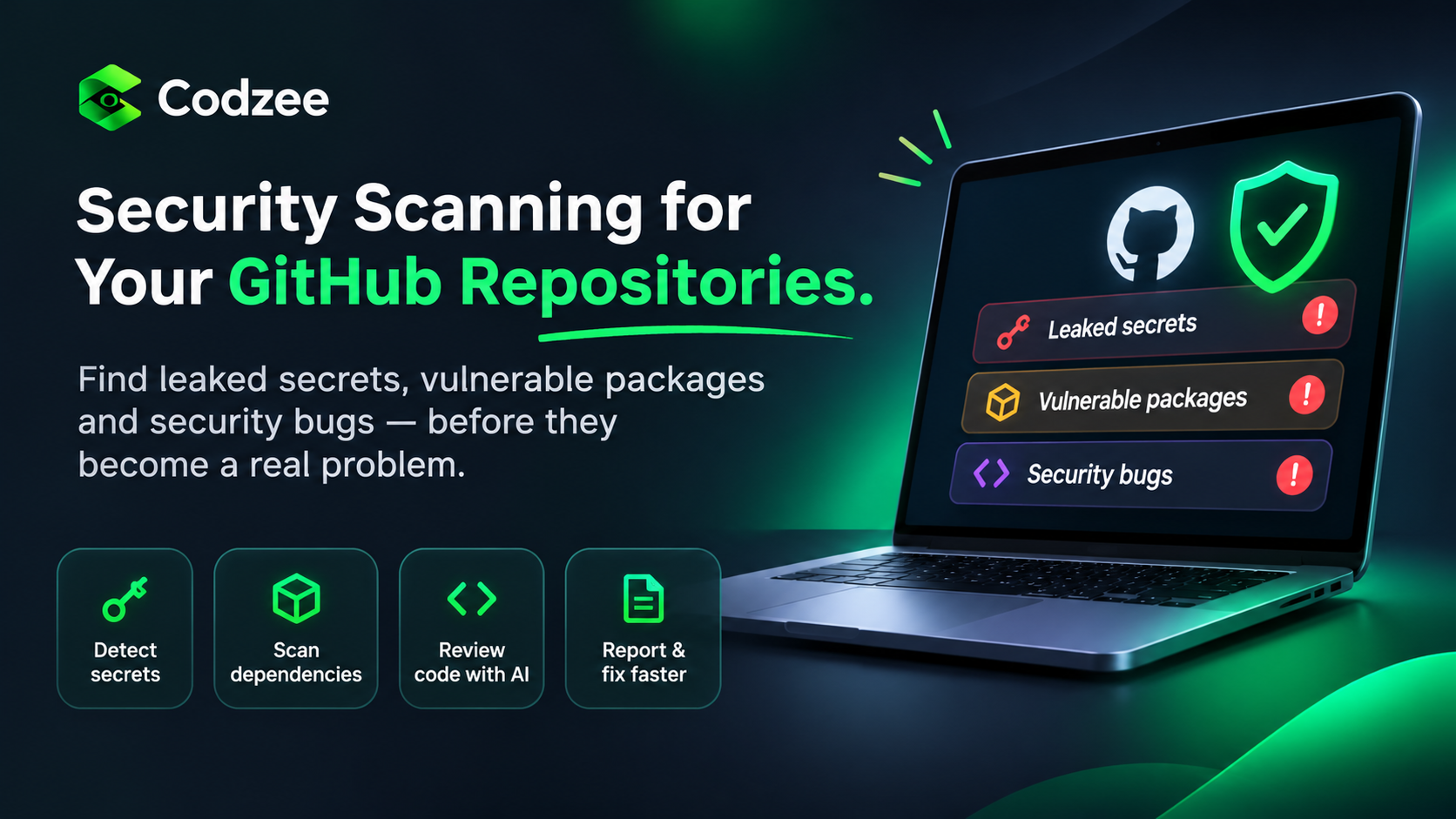
Codzee helps developers scan GitHub repositories for several common security risks.
Instead of checking secrets, dependencies, and code security separately, Codzee brings these checks together.
What Codzee helps you detect
| Security area | How Codzee helps |
|---|---|
| Leaked secrets | Detects potentially exposed API keys, passwords, and tokens using Gitleaks |
| Vulnerable packages | Identifies known dependency vulnerabilities using Trivy, OSV-Scanner, govulncheck, and retire.js |
| Python security issues | Uses Bandit to identify potentially insecure coding patterns |
| AI security review | Reviews risky code areas for potential injection, access control, SSRF, and path traversal issues |
More than just vulnerability detection
Finding a security problem is only the beginning.
Developers also need to understand its severity and decide how to address it.
Codzee helps by providing:
- Security findings with severity and relevant CVSS or CWE information.
- New, open, and fixed finding statuses.
- PDF security reports for teams and customers.
- JSON reports for structured security data.
- Fix pull requests for vulnerable npm packages.
Codzee scans a selected repository commit in an isolated, read-only sandbox without executing repository code. Temporary scan data is deleted afterward.
This helps make repository security scanning more structured and easier to manage.
Make Security a Habit, Not a Last-Minute Task
Security shouldn't begin when your application is ready for production.
It should be part of how you build software.
Before merging code, check for exposed secrets.
Before deploying, review vulnerable dependencies.
During development, use secure coding practices and security analysis tools.
And as your application grows, continue scanning your repositories regularly.
No single security scanner can guarantee complete protection, but combining automated scanning with good development practices can significantly improve how teams identify and manage security risks.
Whether you're a solo developer, building a startup, or managing multiple GitHub repositories, taking security seriously early can help you avoid unnecessary problems later.
A working application is good. A working application with security built into its development process is even better.
With Codzee security scanning, developers can identify potential repository vulnerabilities, understand their findings, and take steps toward fixing them.
Because great software isn't just about what you build.
It's also about how well you protect it.
About the author
- Codzee is building the future of AI-powered code reviews for modern engineering teams. We help developers review pull requests faster, improve code quality, and ship software with confidence. Codzee analyzes your code, highlights potential issues, suggests meaningful improvements, and delivers actionable feedback that fits your team's coding standards and workflow. Our mission is simple: make code reviews faster, smarter, and more collaborative without disrupting how developers work. Whether you're a startup shipping your first product or a growing engineering organization, Codzee helps reduce review bottlenecks, maintain consistent code quality, and improve developer productivity. At Codzee, we believe AI should support developers, not replace them. That's why we're building AI Code Review That Respects Your Team.
Comments
Join the discussionNo comments yet. Be the first to comment.